Create your account, work through the get-started checklist, and find your way around the dashboard.
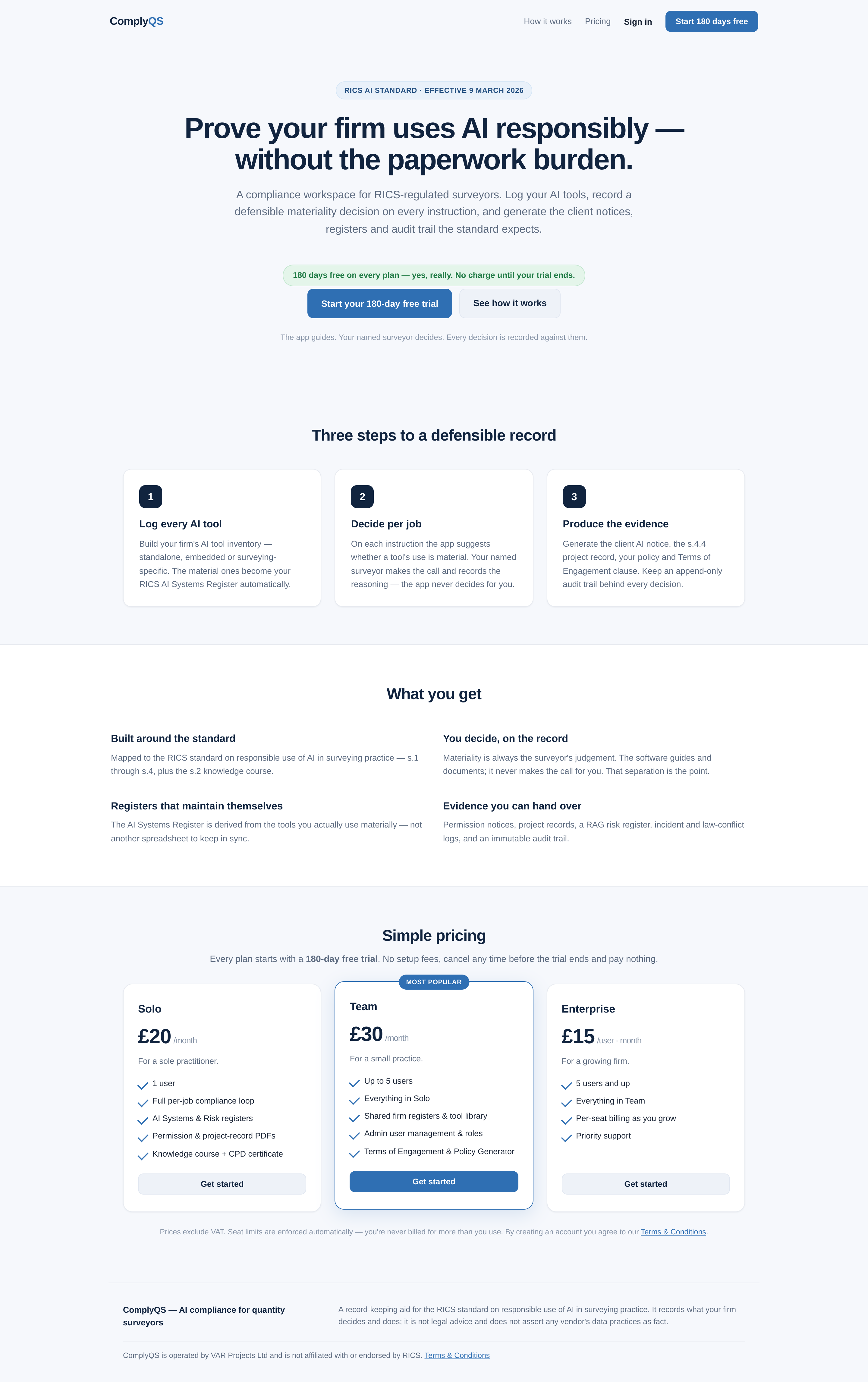
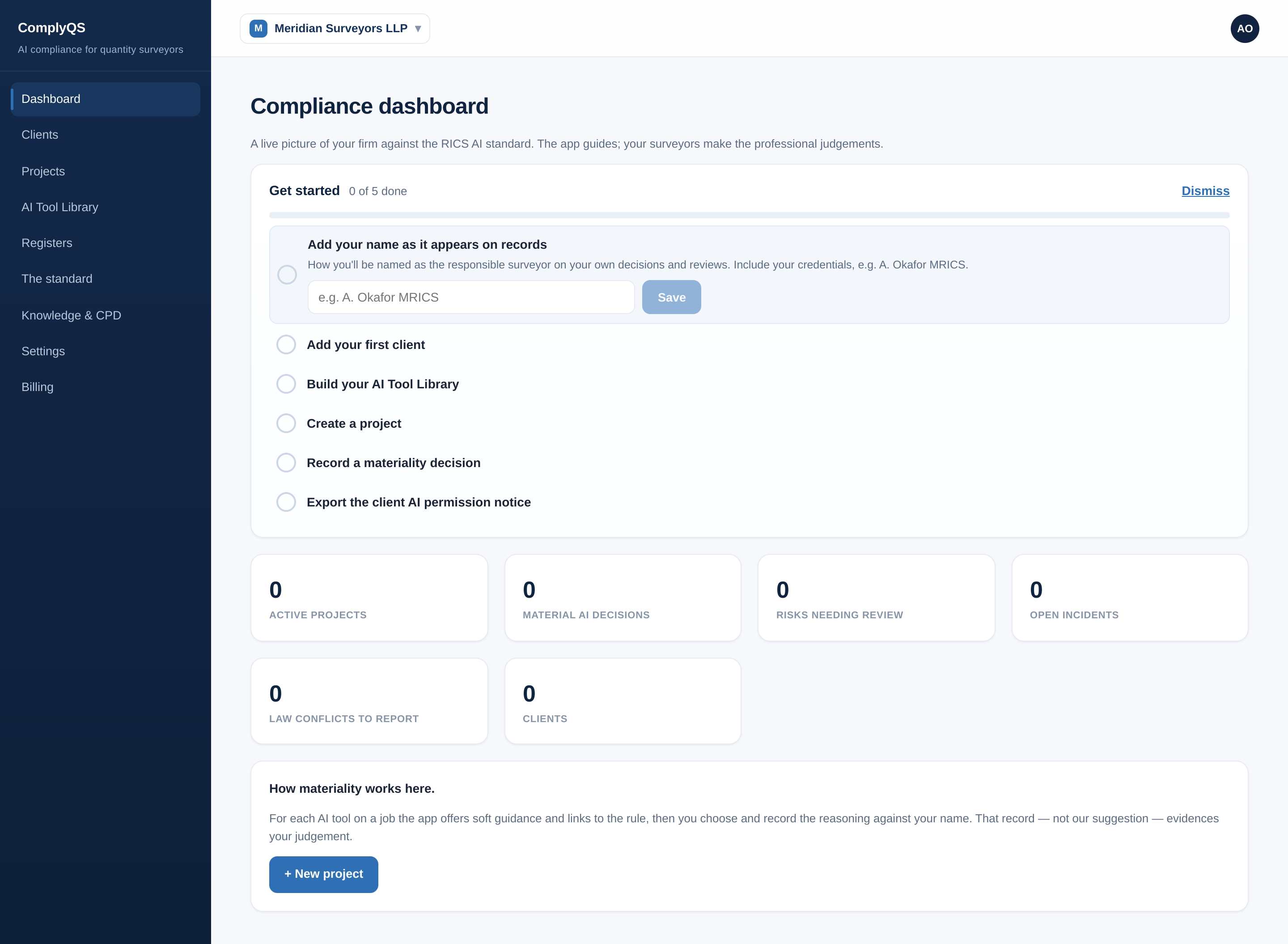
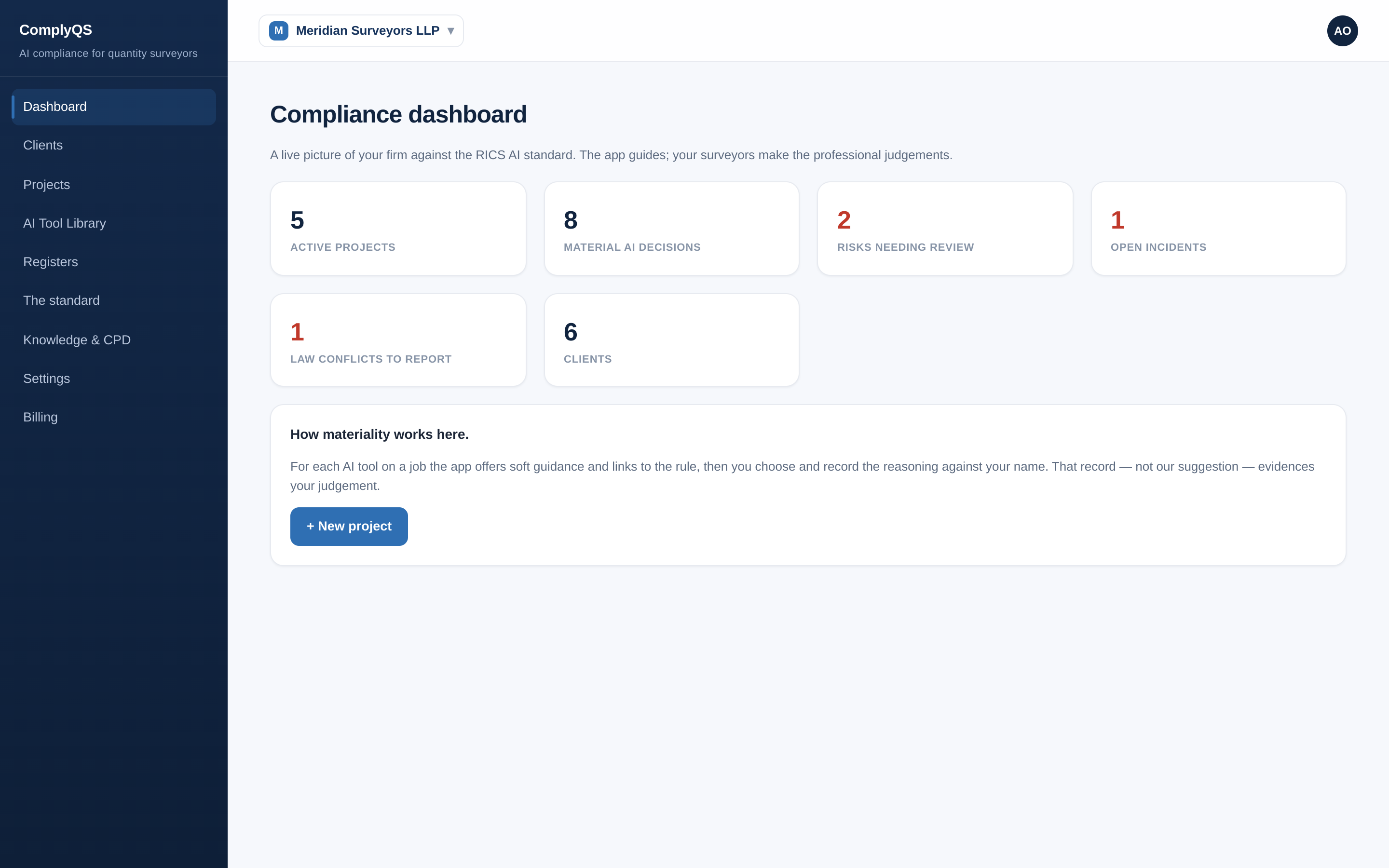
From the ComplyQS home page, choose “Start your 180-day free trial” to create an account, or “Sign in” if you already have one. The first time you sign in, your firm is set up as an organisation that holds your seats, registers and records.The dashboard opens with a “Get started” checklist. Work down it in order — add your name as it appears on records, your first client, your AI tools, a project, a materiality decision, then export a client notice. It ticks itself off live as you go.Once you’re set up, the dashboard gives a live picture of your firm against the standard: active projects, material AI decisions, risks needing review, open incidents, law conflicts to report, and clients.
Every step above uses ComplyQS on fictional demo data. Try it on your own firm — free for 180 days, from £20/month after.
A how-to guide for the ComplyQS app (https://complyqs.co.uk). ComplyQS records what your firm decides and does; it does not make compliance decisions. Not affiliated with or endorsed by RICS.